The Must-Have MCP for Real Estate Agents: Create Listing Videos From Inside Claude and ChatGPT
BetterSpace MCP connects your AI assistant to professional listing video generation. Describe a property, get a video - without leaving your workflow.
· Sophie
AI Real Estate Workflows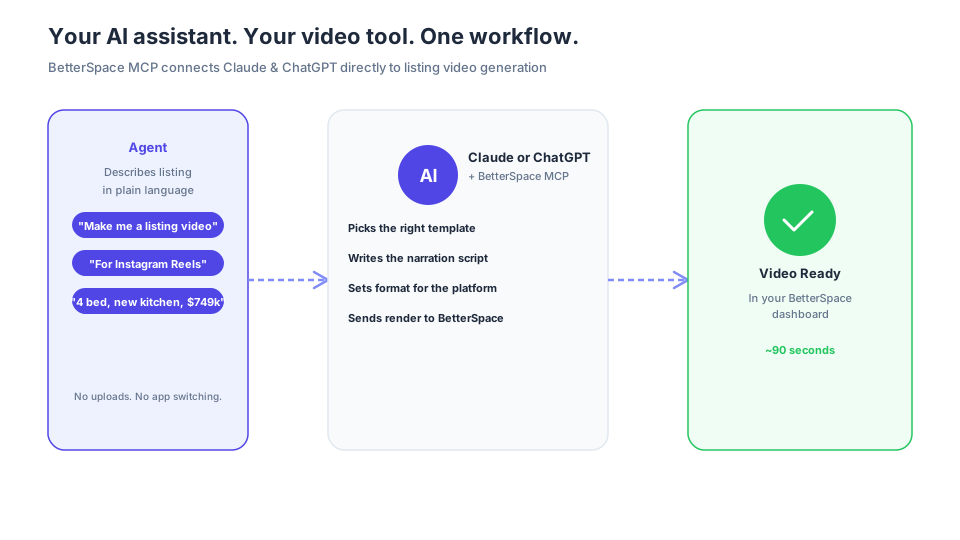
You already use Claude or ChatGPT every day - drafting listing descriptions, writing captions, planning open houses. BetterSpace MCP adds one more power to your AI assistant: generate a professional listing video, right from the chat, in under 90 seconds.
No new tools to learn. No app switching. No uploads. Just describe the property and your video is ready.
“If you’re using an AI assistant to run your business, BetterSpace MCP is the connector you’ve been waiting for.”
Set Up in 30 Seconds - No Technical Knowledge Required
This is the part agents usually brace for. It’s easier than you think.
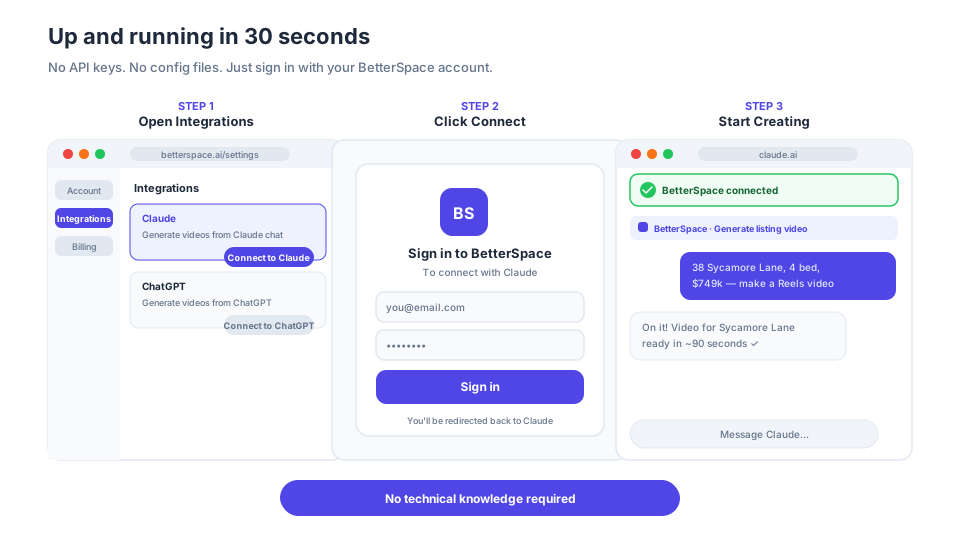
There are no API keys to copy. No developer documentation to read. You don’t need to know what an MCP server is to use one. Just sign in with your BetterSpace account and you’re done.
- Go to Settings → Integrations in your BetterSpace dashboard
- Click Connect to Claude or Connect to ChatGPT
- Sign in with your BetterSpace account when prompted
That’s it. BetterSpace appears as a connected tool in your AI assistant immediately.
What It Looks Like in Practice
The experience is exactly what you’d hope for. Describe the listing the same way you’d describe it to a colleague - and the video gets made.
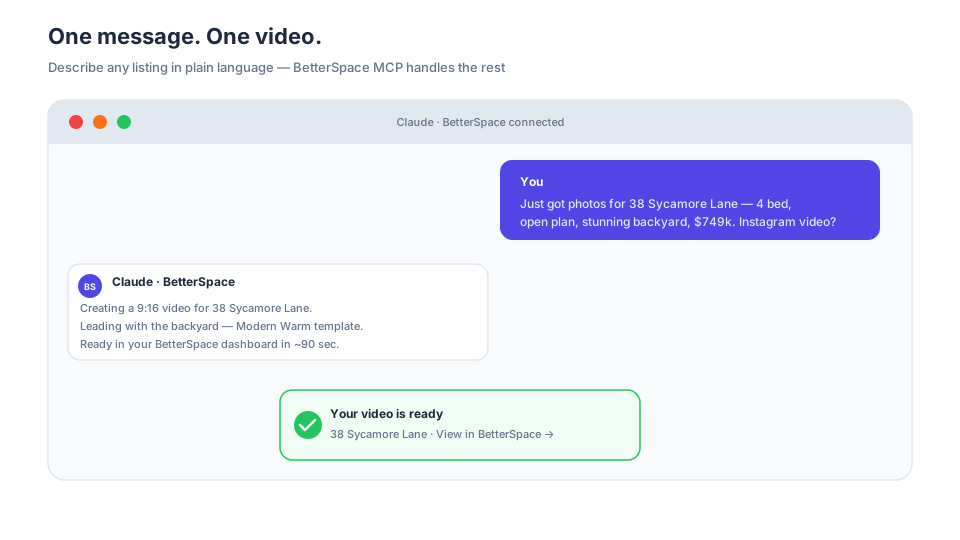
You: Just got photos for 38 Sycamore Lane - 4 bed, open plan, stunning backyard, asking $749k. Make me a listing video for Instagram.
Claude: On it! Creating a 9:16 video for 38 Sycamore Lane. I’ll lead with the backyard and use the Modern Warm template. Ready in your BetterSpace dashboard in about 90 seconds.
One message. No uploads, no template selection, no manual script writing. Your video is waiting in BetterSpace before you’ve moved on to your next task.
Why Every Agent Using AI Needs This
You already live in these tools
Think about your day. You draft listing descriptions in Claude. You write Instagram captions in ChatGPT. You ask AI to respond to buyer inquiries and plan open house schedules.
You’re already there. The only thing missing was video. BetterSpace MCP closes that gap - video creation becomes one more thing you do from inside the AI tools you rely on, without building a new habit or opening a new tab.
Every listing gets a video - without the extra step
The biggest reason agents skip video on some listings isn’t budget - it’s friction. Logging in to a separate tool, uploading photos, configuring settings, writing a script. Even a streamlined tool takes time when you’re juggling ten listings.
BetterSpace MCP removes that friction entirely. When you’re in Claude drafting the listing copy, you generate the video in the same session. By the time the description is done, the video is done too.
Your entire listing launch in one conversation
With BetterSpace MCP, everything for a new listing happens in a single AI chat:
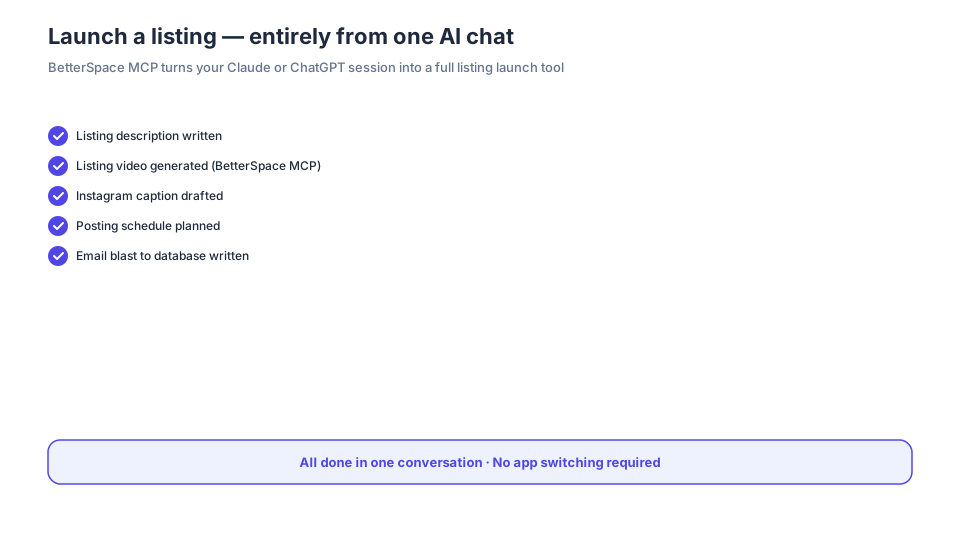
Draft the description, generate the video, write the caption, plan the posting schedule, write the email blast - all without leaving the chat. One conversation, one tool, everything done.
Batch multiple listings in minutes
Working through a stack of new listings? Tell the AI to generate videos for all of them. It queues each render job, confirms each one, and lets you keep working - or step away - while BetterSpace builds them in the background.
Stop forgetting video
Every agent has done it: launched a listing, done all the marketing, and realised three days later they never made a video. With BetterSpace MCP, video is part of the same workflow as your copy and social content. If you remember to draft the description, you’ll remember to make the video - because it’s the next message in the same chat.
What You Can Do With BetterSpace MCP
Everything you’d normally do in the BetterSpace dashboard - from inside your AI chat:
- Generate listing videos from photos - upload or link photos, get a finished video
- Choose your format - landscape for listing pages, vertical for Instagram and TikTok, square for Facebook
- Set tone and template in plain language - no dropdowns, just describe what you want
- Apply your agent branding automatically - logo, colors, and style applied every time
- Batch multiple listings in one session - queue them all and step away while they render
- Write the narration script first - ask the AI to draft it, approve it, then generate
- Get notified when each video is ready - confirmation lands in the chat as soon as it’s done
Ready to Try It?
BetterSpace MCP is available in early access for all subscribers. Connect from your dashboard →
New to BetterSpace? Sign up free and get your first two listing videos at no cost - including your first one created straight from Claude or ChatGPT.
Frequently asked questions
-
What is the BetterSpace MCP and how does it work?
BetterSpace MCP is a Model Context Protocol connector that connects BetterSpace's listing video generation directly to AI assistants like Claude and ChatGPT. You describe a property in plain language inside your AI chat, and BetterSpace automatically creates a professional listing video: no app switching, no uploads, no manual steps. -
Do I need technical knowledge to set up BetterSpace MCP?
No. Setup takes about 30 seconds and requires no developer knowledge. Go to Settings → Integrations in your BetterSpace dashboard, click Connect to Claude or Connect to ChatGPT, and sign in with your BetterSpace account. That is the entire process. -
Can I use BetterSpace MCP with ChatGPT as well as Claude?
Yes. BetterSpace MCP works with both Claude and ChatGPT. The setup process is the same for both: connect from your BetterSpace Integrations page and sign in with your BetterSpace account. -
Can I generate videos for multiple listings at once using the MCP?
Yes. You can ask your AI assistant to generate videos for multiple listings in a single session. BetterSpace queues each render job and confirms each one in the chat. You can continue working or step away while the videos are built in the background.