BetterSpace · For teams & brokerages
One brand.
Every agent.
Zero rework.
Give your whole brokerage one shared brand kit, one billing account, and one dashboard. Every agent creates professional listing videos that look like they came from the same company, because they did.
- 5 min brand kit setup
- flexible team plans
- 1 invoice per month
No credit card required. Team plans available after sign-up.
Trusted by agents at
- Keller Williams
- Compass
- RE/MAX
- Century 21
- Coldwell Banker
- eXp Realty
- Sotheby's
Whether you're a 2-person team or a 50-agent agency, BetterSpace scales with you.
Brand consistency
Upload once. Every video looks right.
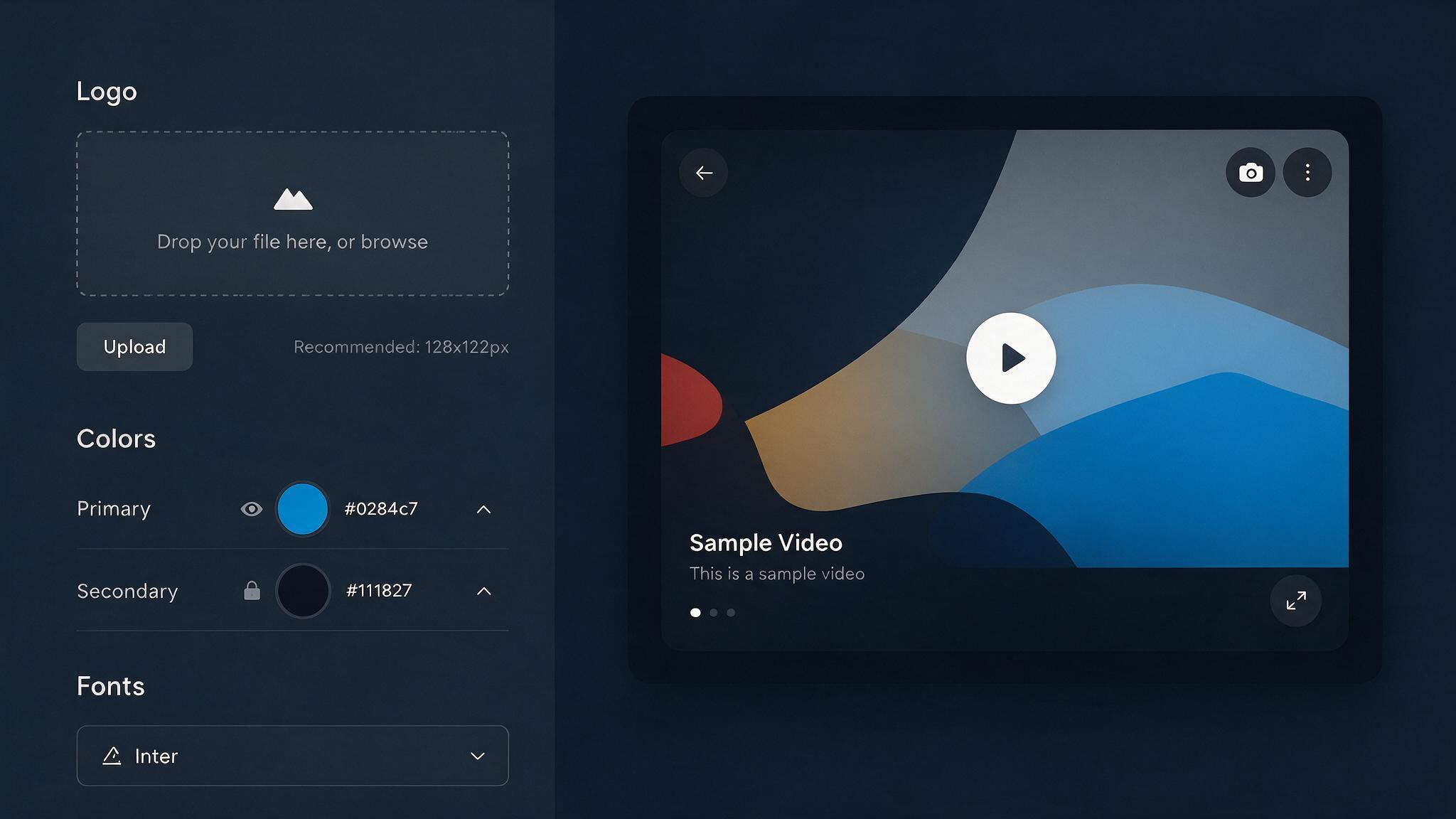
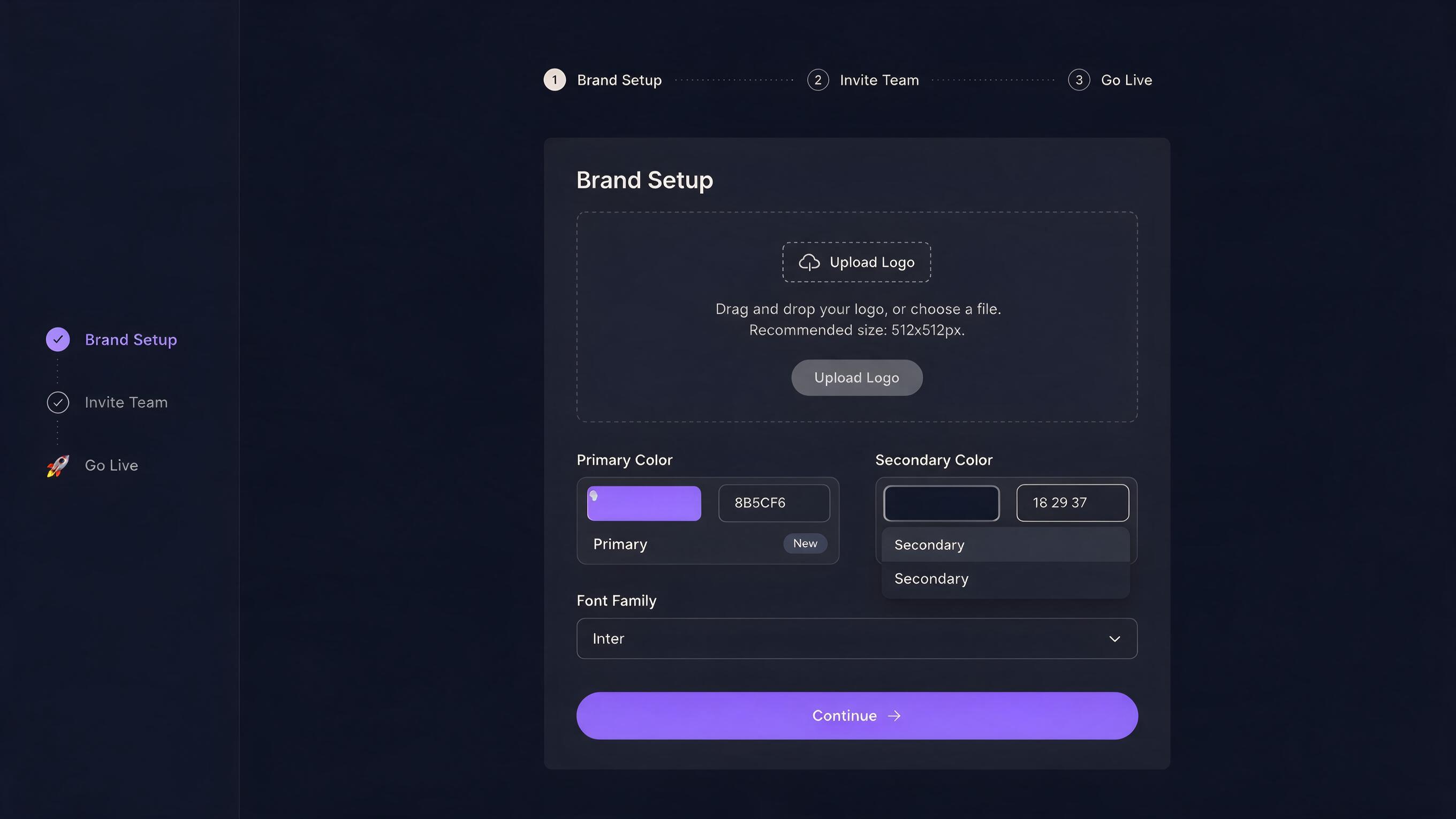
Set up your brand kit in the admin dashboard: logo, colors, preferred fonts, intro and outro clips. Every listing video any agent creates on your team uses them automatically. No briefs. No quality checks. No fixing it afterward.
- Logo applied to every video automatically
- Brand colors used in all on-screen text and overlays
- Shared intro/outro clips for consistent look
- Agents can't accidentally override team branding
Seat management
Add agents in seconds. Remove just as fast.
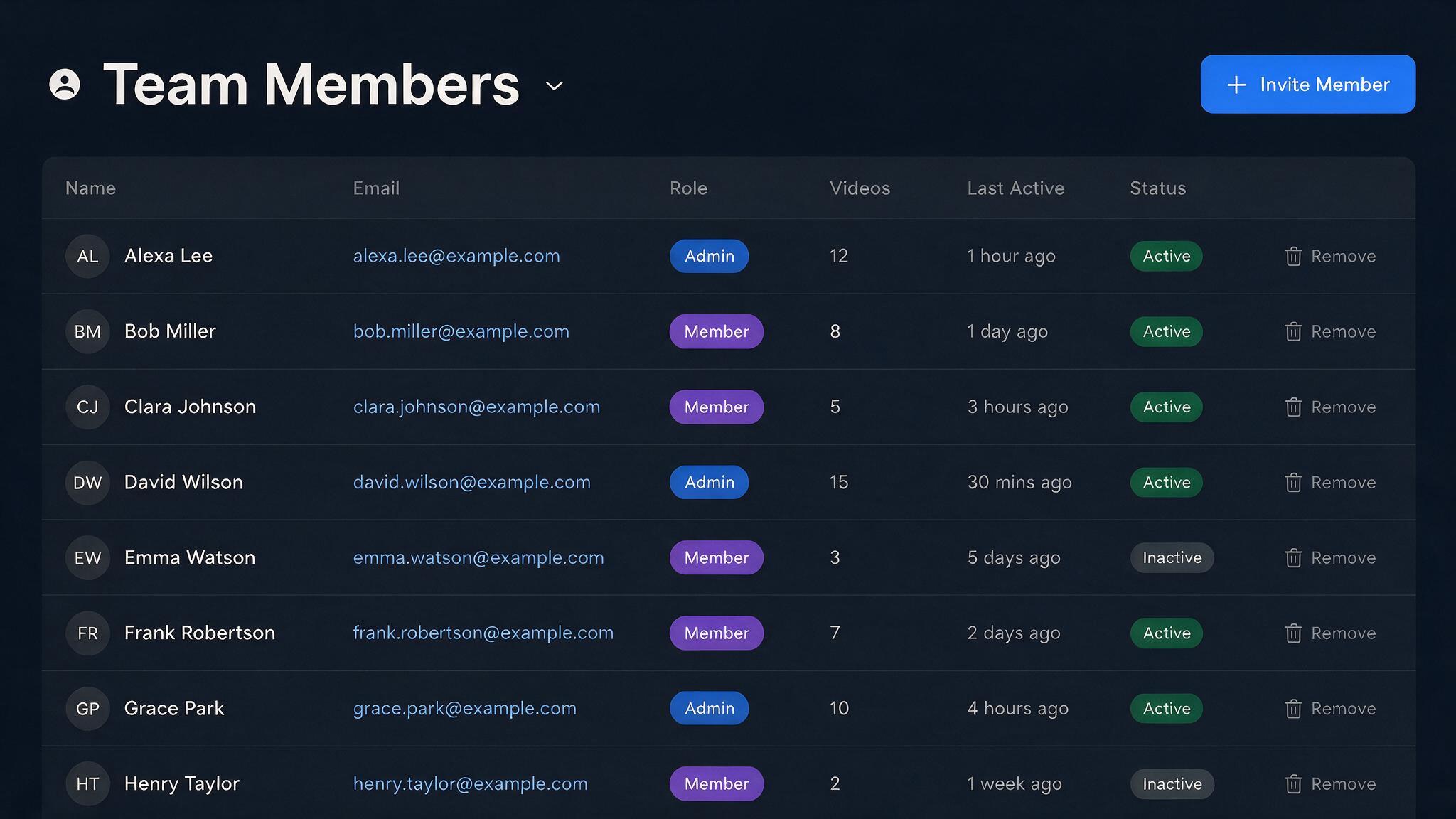
Invite agents by email from the admin dashboard. Each gets their own login and immediately has access to the shared brand kit, asset library, and team credit balance. When someone leaves, remove their seat and their content stays in your team account.
- Seats included per plan. Upgrade to add more
- Invite by email with one click
- Content stays in team account when a seat is removed
- Credits shared across all agents automatically
Admin visibility
See everything your team is creating.
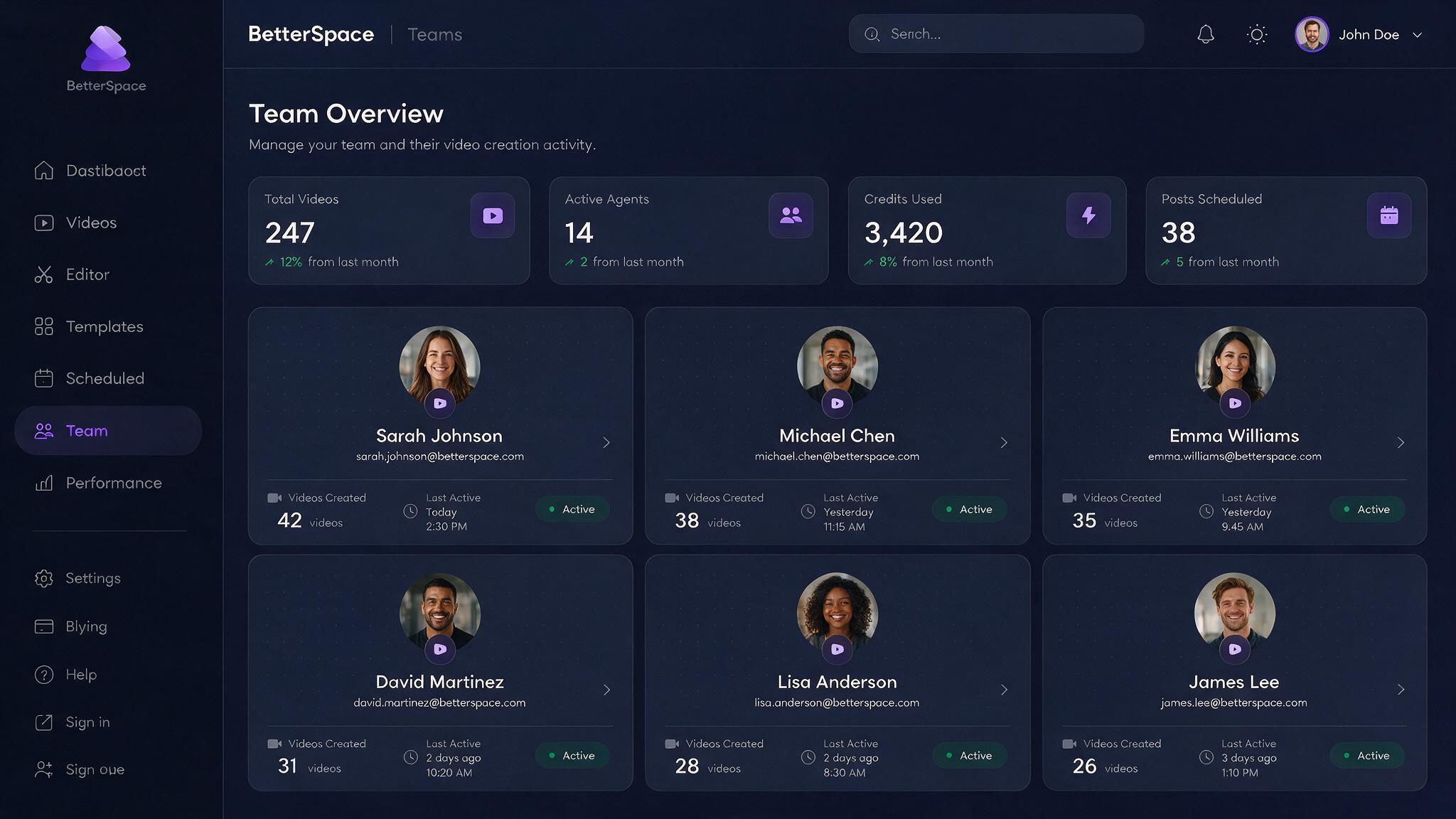
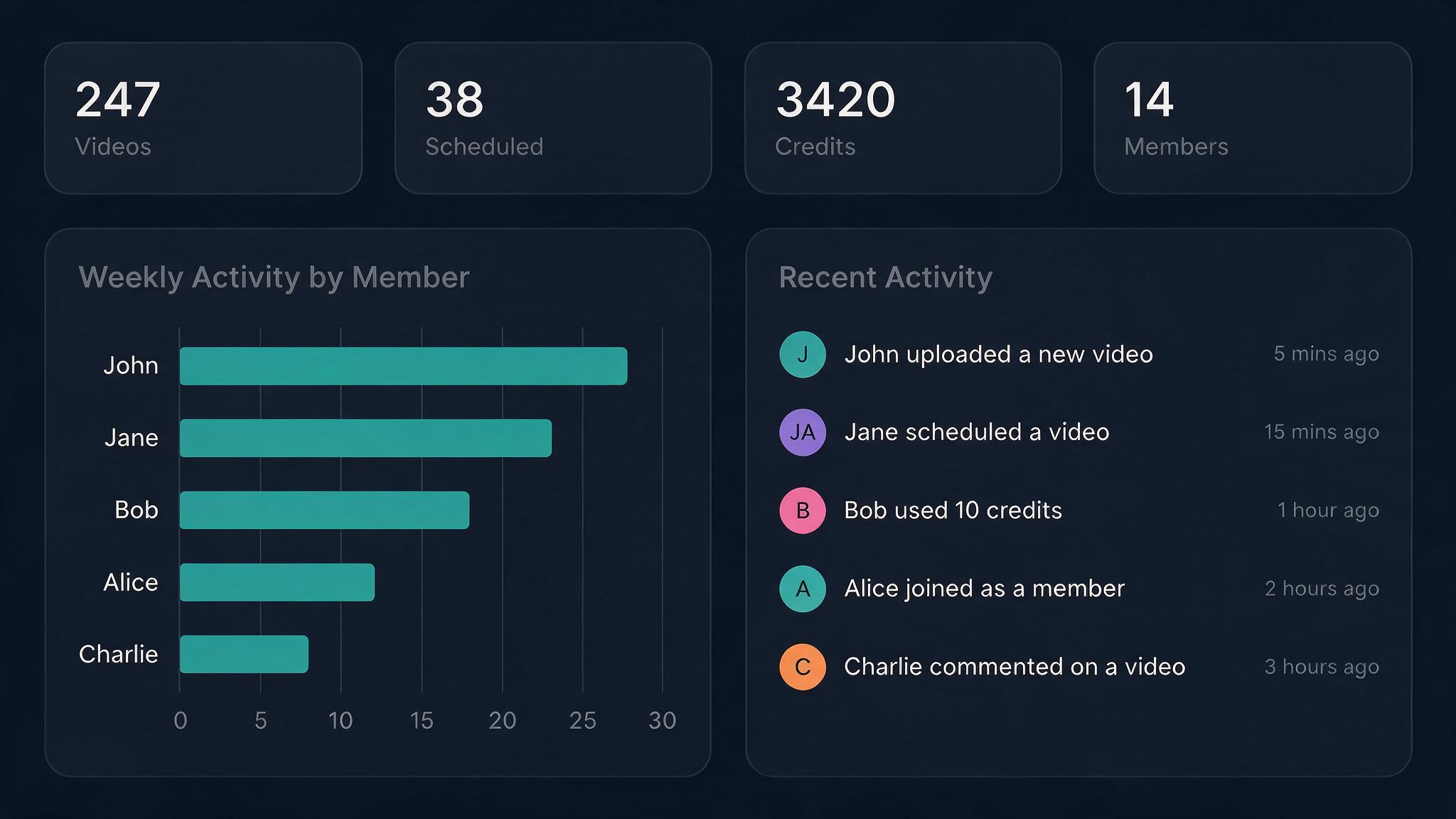
The admin dashboard gives you a single view across every agent: every video created, every social post scheduled, every credit consumed. Know what your agency is producing without logging into ten separate accounts.
Videos created
Across all agents, all time
Posts scheduled
Per agent and platform
Credit usage
By agent and by month
Publish history
Every channel, every date
Everything teams need
Built for brokerages, not solo agents.
Every feature is designed for the reality of running a team: consistent output, central control, and no per-agent friction.
-
Shared brand kit
Upload your logo, brand colors, and fonts once. Every video every agent creates on your team uses them automatically. No reminders, no rework.
-
Seats per plan
Each plan includes a set number of seats. Add agents up to your plan limit, each with their own login and listing queue. Remove seats instantly when someone leaves. Their content stays in the team account.
-
Role-based access
Team admins manage seats, brand settings, and billing. Agents create and publish videos within team guardrails. You control who can do what.
-
Centralized billing
One invoice. One plan. Credits pool across the whole team. No chasing individual subscriptions or reconciling separate invoices at month end.
-
Admin content dashboard
See every video, every scheduled post, and every credit used across the whole team in one view. Know what your agency is producing without logging into ten accounts.
-
Shared asset library
Upload intro/outro clips, music, and brand overlays once. Every agent draws from the same approved library. No emailing files back and forth.
How it works
Up and running in under 10 minutes.
Three steps from account creation to a fully branded team producing listing videos.
- 1
Set up your brand kit
Upload your logo, enter your brand colors, and choose your preferred fonts. This takes about five minutes. Every video your team creates from this point forward uses them automatically.
- 2
Invite your agents
Send an invite link or add agents by email from the admin dashboard. Each agent gets their own login and immediately has access to the shared brand kit and asset library.
- 3
Everyone creates. You stay in control.
Agents create listing videos independently. The admin dashboard shows all activity, credit usage, and published content in one place. Approve before publishing or let agents go direct. Your choice.
Centralized billing
One invoice for the whole team. No spreadsheets.
Credits pool across every seat. One subscription, one monthly invoice, one place to manage payment. The usage breakdown shows exactly which agents consumed what, so finance is happy and you're not chasing individual expense reports.
- Shared credit pool across all agents
- Usage breakdown by agent in the admin dashboard
- Single subscription: upgrade, downgrade, or cancel in one place
- Volume discounts available for larger brokerages
From the field
Teams that switched to BetterSpace
-
We had 14 agents all doing their own thing on social. Some used our logo, some didn't. BetterSpace fixed that the day we set up the brand kit. Now everything looks like it came from us.

Sarah T.
Broker-Owner, 14 agents
-
The admin dashboard alone is worth it. I can see what every agent has scheduled this week without sending a single Slack message. That visibility is new for us.

Marcus R.
Team Lead, 8 agents
-
We used to onboard a new agent and spend two hours showing them how to do their own videos. Now it's: here's your login, brand kit is already set up, make a video. Takes 10 minutes.

Priya N.
Operations Manager
-
How many seats can I add to a team plan?
The number of seats depends on your plan. You can add agents up to your plan's seat limit. Upgrade your plan to add more seats, or remove a seat at any time. Their content stays in the team account. -
Can I control what agents are allowed to publish?
Yes. The admin role can require content approval before any video is published to social media, or allow agents to publish directly. You choose the workflow that matches how your brokerage operates. -
What happens to a departed agent's content?
When you remove a seat, all videos, scheduled posts, and brand assets created under that account stay in the team library. You own the content, not the individual seat. Nothing is lost when someone leaves. -
Do agents each need their own credit balance?
No. Credits pool at the team level. One balance is shared across all seats. The admin can see exactly which agents consumed which credits from the usage dashboard. -
Can different agents have different brand settings?
Brand settings are set at the team level and apply to all agents by default. Agents can personalize their own headshots and presenter preferences within the team brand without overriding the shared logo and colors. -
Is there a minimum team size?
No minimum. Some brokerages start with two agents on a team plan just to share a brand kit and billing account. You can grow from there.
Your whole team, one brand, one dashboard.
Get every agent creating on-brand listing videos from day one. Set up your team in under 10 minutes.
* Brokerage names are trademarks of their respective owners. Shown for illustrative purposes only and do not imply endorsement.